Agent V

Understand, change, and review real repositories.

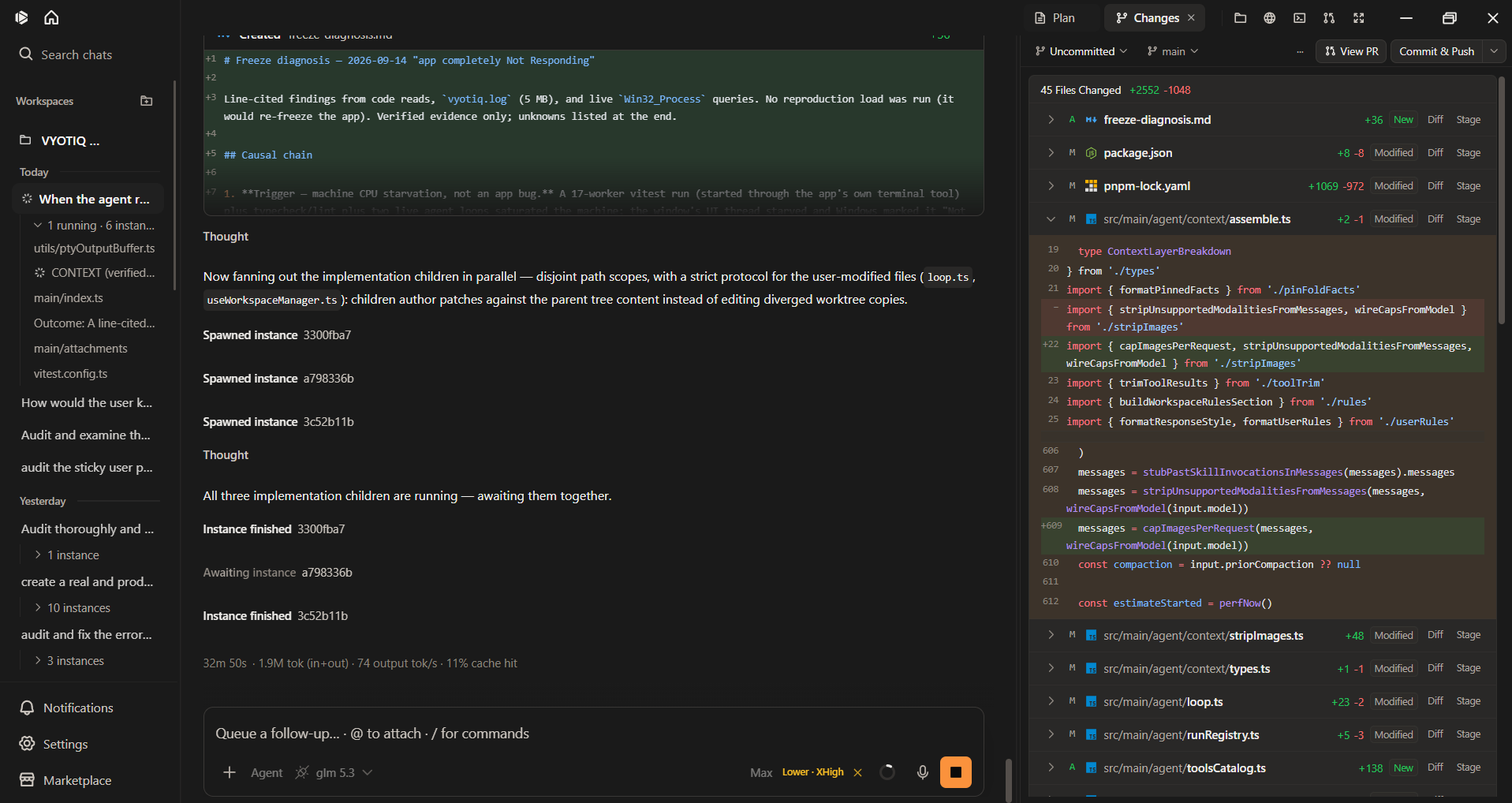
Open a local repository, pick a configured model, and keep the current run in one window.

01 / Integrated workspace

Files, terminal, browser, and Git stay on the same task.

Search the codebase, edit files, run commands, use the web, and review Git state without breaking the task into disconnected surfaces.

  • Files

    Navigate the repository tree and edit workspace files.

  • Browser

    Inspect and act on websites in the embedded browser.

  • Terminal

    Run project commands and inspect their captured output.

  • Changes

    Review working-tree status, diffs, and checkpoint actions.

  • Pull Request

    Work with GitHub pull requests through the GitHub CLI boundary.

  • Plan

    Keep the run contract, plan, and todos visible as work progresses.

Tour the workspace

02 / Controlled modes

Choose how the agent works.

The mode changes which actions are available. Start with investigation, make decisions explicit, then move into implementation when the task is ready.

  1. Ask

    Investigate with read-only built-ins and browse-only browser actions.

  2. Plan

    Use read tools, todos, diagnostics, and edits limited to run plan and contract files.

  3. Agent

    Edit product files and use the full built-in tool catalog, subject to approvals.

Compare modes

03 / Long-running work

Stay oriented as the task grows.

Runs carry more than a transcript. Agent V keeps the state and artifacts needed to return to work, understand what happened, and decide what comes next.

  • Workspace sessions keep chats and run state connected to the repository.
  • Background runs can surface completion, failure, or a request for attention through notifications.
  • Context estimates help plan the next turn; compaction summarizes older history when needed.
  • Contracts, plans, todos, and receipts preserve intent and structured run evidence.

04 / Provider choice

Use the models you configure.

Configure local Ollama, nine cloud providers, or a custom OpenAI-compatible host, then choose among the models exposed by that configuration.

  • OpenAI
  • Anthropic
  • Gemini
  • Ollama
  • DeepSeek
  • Groq
  • OpenRouter
  • xAI
  • Mistral
  • OpenCode Go
  • Custom host

Initial selection

New settings initially select Ollama with qwen2.5. That selection does not install or start Ollama, and the endpoint may not be reachable.

Configure providers

05 / Deliberate extension

Add context and capability on purpose.

Extend the repository workflow when the task calls for it, without making extensions the center of the day-to-day workspace.

  • MCPs

    Connect tools and resources from configured Model Context Protocol servers.

  • Skills

    Add task-specific instructions and workflows.

  • Rules

    Apply persistent user or workspace guidance.

  • Packages

    Install and scope Marketplace bundles through explicit lifecycle controls.

Explicit Markdown memory lives under .vyotiq/memory/. Optional code indexing keeps derived indexes locally; it is separate from memory.

Explore customization

06 / Data boundaries

Local state, explicit network boundaries.

Workspace files, run records, settings, indexes, and rotating logs are stored on the machine. Requests cross that boundary when the work requires an external service.

Stored credentials

Provider keys, MCP bearer tokens, and GitHub tokens use operating-system secure storage where available.

Approval controls

Tool approval can gate mutating tools or every tool, while named tools can be allowlisted. Browser navigation can also use an optional domain allowlist.

External requests

Configured providers, visited websites, GitHub, OpenAI or OpenRouter dictation, and remote MCP servers receive the content required for the request made to them.

Crash reporting

Crash and error sharing is opt-in and only available in builds configured for that reporting path.

Review security boundaries

07 / Documentation

Explore the product in detail.

Follow the path that matches the decision or task in front of you.